AndBert
InkyStream: How a Passion for Photography Led to My First Open Source Project
I've always been drawn to e-ink displays. There's a stillness to them, a paper-like quality, that feels completely different to the glowing, backlit screens we're surrounded by. If you've ever used a Kindle, you'll know what I mean. The image just sits there, calm and crisp, using no power at all until you turn the page.
At some point I started wondering: could that work for photography?
I looked around and couldn't find anything that really achieved it. People had cobbled together their own setups, but there was no clean, simple software for managing an e-ink photo frame the way I had in mind. So I decided to build it myself. That became InkyStream, and as it turned out, my first open source project.
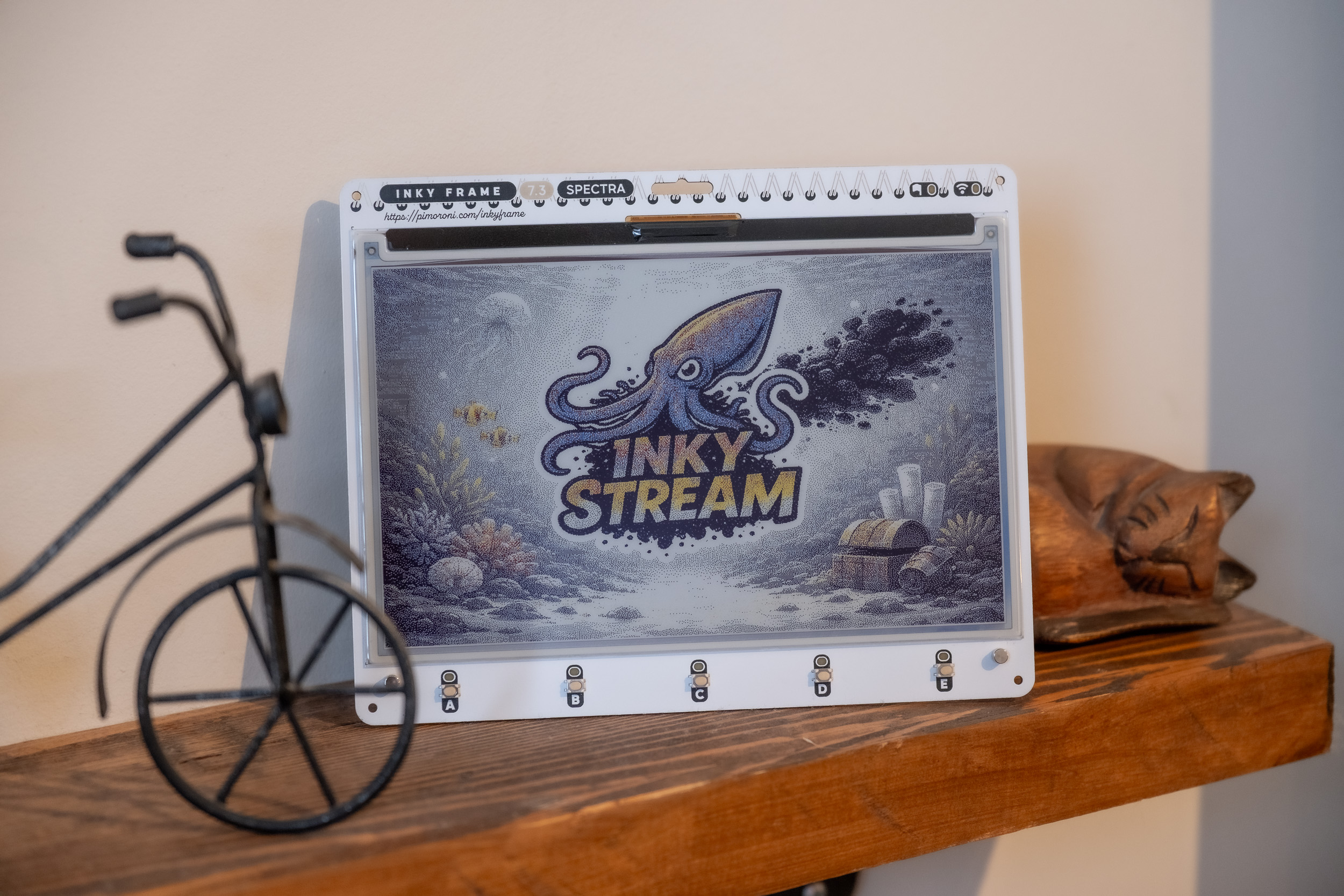 An Inky Frame displaying a colour photograph on a shelf, the whole point of the project.
The Hardware
The device I'm using is a Pimoroni Inky Frame, around £60, with a seven-colour e-ink screen and a Raspberry Pi Pico W microcontroller built directly into the board. It runs MicroPython, needs no soldering, and arrives ready to go. I've mounted mine in a standard picture frame and hung it on the wall.
What makes e-ink so appealing for this kind of project is the power consumption, or rather, the lack of it. The screen only uses energy when it's actively refreshing. The moment it's done updating, it switches off completely. The image just stays there, held in place by physics rather than electricity.
I've been running mine since Christmas, updating every six hours. Two months in and the two AA batteries are still at around 80%. If that rate holds, I'm looking at close to eight months from a single set of batteries. For a photo frame hanging on a wall with no cable in sight, that's pretty remarkable.
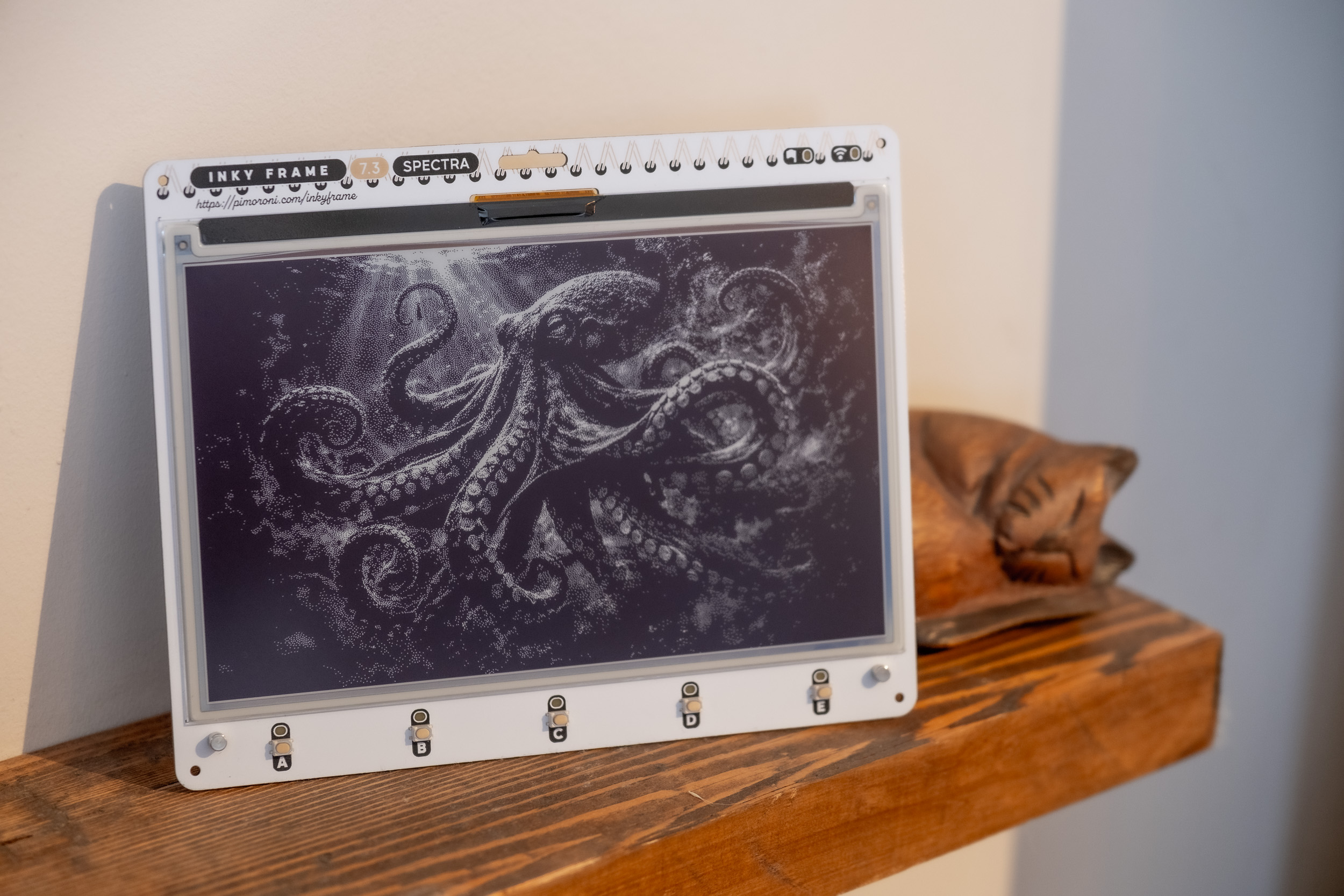 Black and white photography translates particularly well to e-ink. The dithering technique gives it a quality that feels close to print.
What InkyStream Does
To make the hardware useful, I needed a way to manage which photos get shown and when. That's what InkyStream is, a simple web application that runs on my home network, built in Next.js and TypeScript.
I run it as a small container on my home server. It has a straightforward interface for uploading photos, organising them, and assigning them to specific frames. The photo frame wakes up on a schedule, calls the InkyStream API, downloads the next image, burns it to the screen, and goes back to sleep. That's the whole loop.
Because the refresh happens on a timer, I use six hours, the photos appear to change by themselves. You walk past the frame in the morning and there's a different image to the one that was there the night before. It's a small thing, but it's quietly satisfying.
One thing worth knowing about e-ink screens: the refresh process itself isn't pretty. The screen flickers and flashes through colours as it updates. You don't want to watch it happen. Scheduling updates for the middle of the night means you never have to. The photo just magically changes.
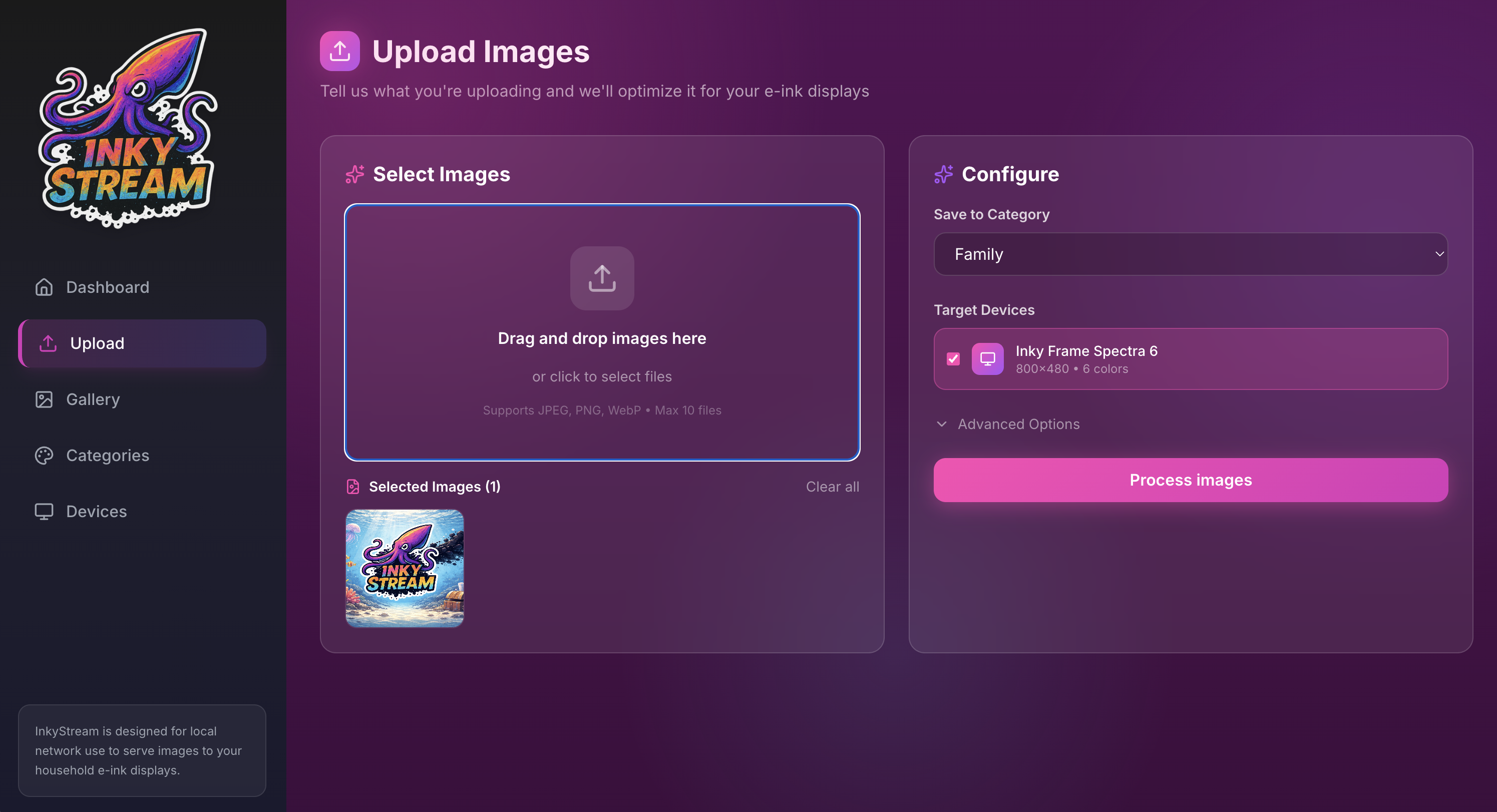 The upload screen in InkyStream. Photos are automatically dithered and resized for each device profile on upload.
The Unexpected Complexity
I assumed the hard part would be the hardware. It wasn't. The trickier challenge was getting photographs to actually look good on a seven-colour screen.
Standard image files don't translate well to e-ink. To make a photo look convincing, you need a process called dithering, an algorithm that uses patterns of dots to trick the eye into seeing more tones and colours than the screen can technically display. InkyStream handles this automatically when you upload a photo, so you don't have to think about it. But building that process into the app was genuinely one of the more complex parts of the project.
I leant heavily on AI coding tools, Cursor and Claude among others, to help me work across the different languages involved. It's not the most polished codebase behind the scenes, and I'll be honest about that. But it works exactly how I wanted it to, and that was always the goal.
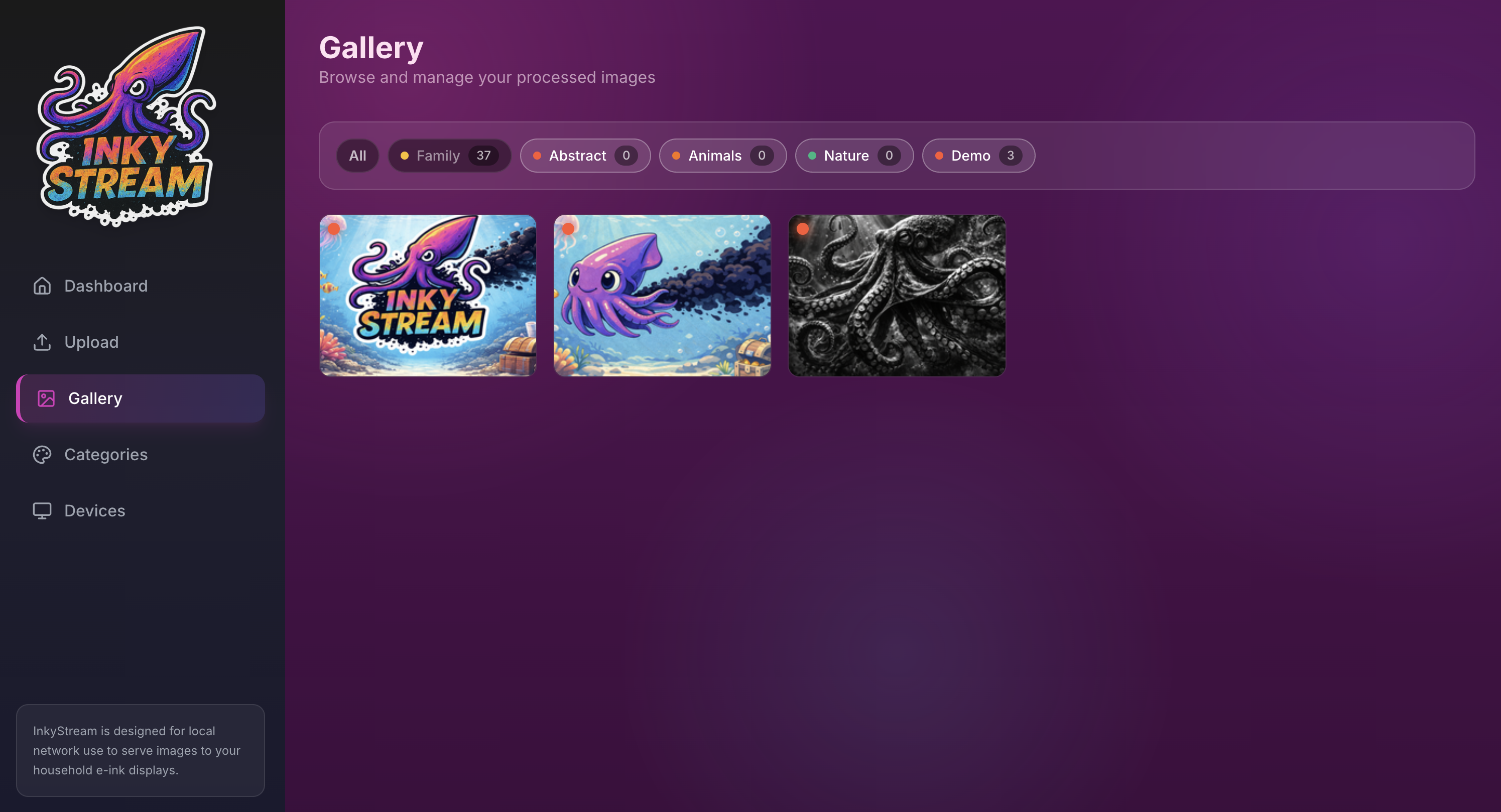 The gallery view in InkyStream. Processed variants organised by category, with a thumbnail of each dithered result.
Is It Any Good?
Honestly, it depends what you're expecting.
Up close, you can see the dot pattern from the dithering. The screen takes around twenty seconds to refresh, and that transition is ugly if you catch it. This is not a replacement for a high-quality print or a modern display. The technology is still maturing.
But from across a room, particularly with black and white photography, it genuinely looks striking. There's a quality to it that I find hard to describe, somewhere between a print and a screen, with none of the harshness of either. I've settled into liking it quite a lot.
Why Open Source
I'm publishing InkyStream because the software I wanted simply didn't exist, and someone else might find themselves in the same position. It might be exactly what they need, or a useful starting point, or it might not be useful to anyone at all. That's fine. It was a passion project that solved a real problem I had, and it's been one of the most enjoyable things I've built.
E-ink technology is improving quickly. Faster refresh rates, higher resolutions, better colour. I'm already thinking about what a larger screen might look like on the wall, and what else InkyStream could do as the hardware catches up.
For now though, if you've ever looked at a wall and thought a photo frame should be there, but didn't want to deal with cables or a glowing screen, this might be worth a look.
InkyStream is available on GitHub. The Pimoroni Inky Frame is available from pimoroni.com.
Related Articles
Explore more insights on similar topics and technologies.
Rediscovering Coding with AI Assistants
After a 4-year hiatus from hands-on coding, I dove back in to create a puzzle game. Here's what I learned about AI coding assistants and the evolving landscape of software development.
Read moreLeading Engineering Teams in the Age of Agentic AI
AI is accelerating delivery like nothing before it. Some things I think we need to pay attention to as leaders.
Read moreCrafted with :